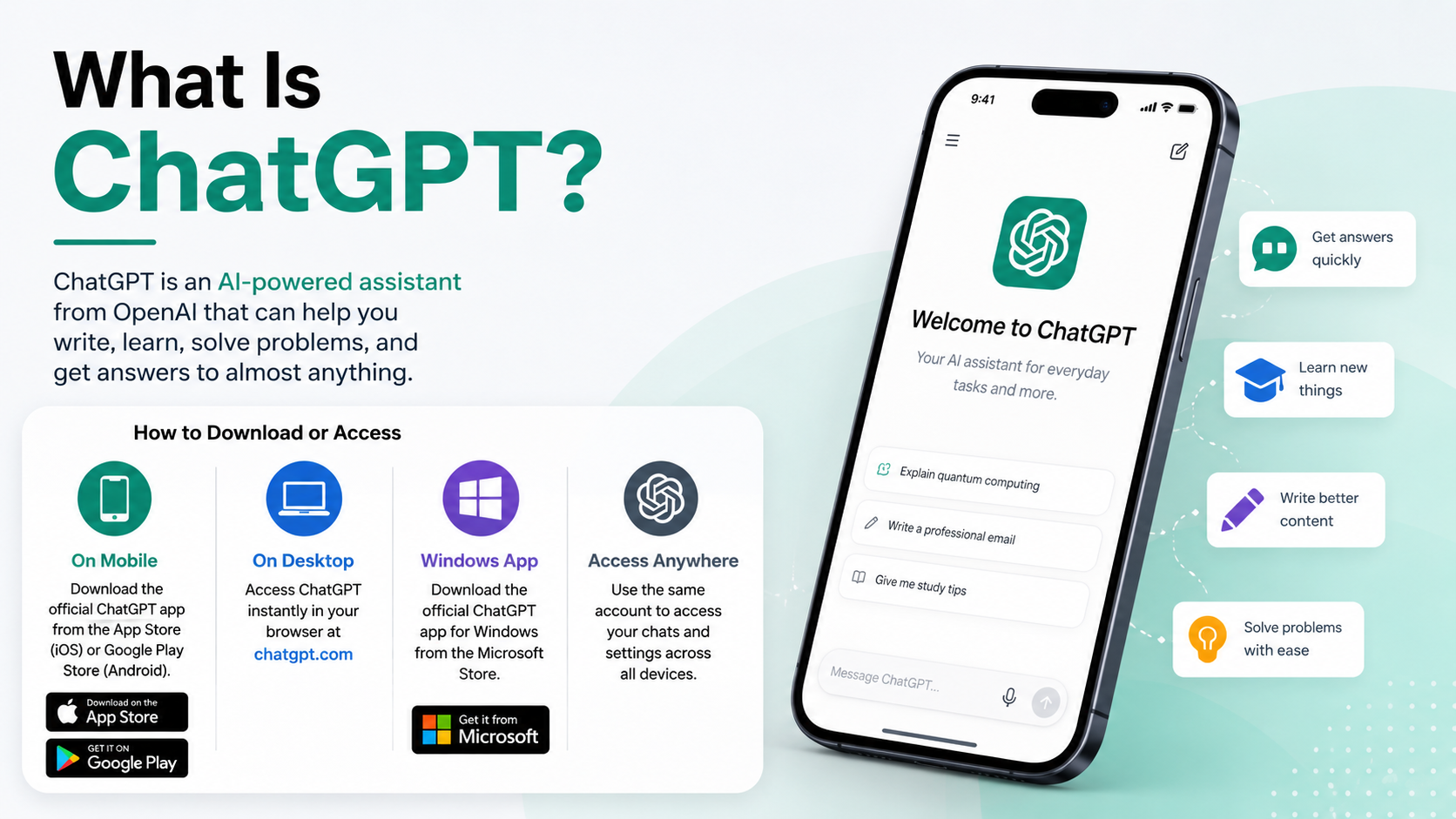
What Is ChatGPT and How to Download It or Access the Official App
ChatGPT is OpenAI’s AI assistant for tasks such as writing, studying, planning, coding, summarising files, analysing images, and answering questions in a chat format. You do not have to download anything to use it: the quickest official method is to open chatgpt.com in a browser.
If you prefer an app, download only the official ChatGPT app published by OpenAI from Google Play or the Apple App Store. India is listed as a supported country for ChatGPT on web and mobile.
Key Takeaways
- ChatGPT is an AI assistant, not a downloadable “GPT file” or APK.
- The fastest official access method is chatgpt.com.
- Android users should install it from Google Play and confirm the publisher is OpenAI.
- iPhone and iPad users should use the Apple App Store listing from OpenAI.
- Avoid APK sites, modded apps, and links shared through messages or videos.
- ChatGPT has a Free plan; paid plans offer higher limits and additional tools, with availability and pricing shown in the official subscription screen.
What Is ChatGPT?

ChatGPT is a conversational AI assistant made by OpenAI. You type or speak a request—called a prompt—and it responds in natural language. You can ask follow-up questions in the same chat to refine the answer, request a different format, or provide more context.
For example, a student might ask:
“Explain photosynthesis in simple English, then give me five CBSE-style revision questions.”
A job seeker could ask:
“Rewrite this résumé summary for an entry-level data analyst role in India. Keep it truthful and professional.”
ChatGPT can help with brainstorming, explanations, language practice, calculations, coding assistance, travel planning, draft writing, and organising information. Depending on the plan, device, and usage limits, it may also offer tools such as voice conversations, web search, image generation, file uploads, and data analysis.
It is useful, but it is not an authority on its own. It can make mistakes, misunderstand a request, or provide outdated information. Check important medical, legal, financial, academic, and official-government information against reliable primary sources.
Do You Need to Download ChatGPT?
No. ChatGPT works in a web browser at chatgpt.com, so it can be used on Android phones, iPhones, tablets, Windows PCs, Macs, Chromebooks, and Linux computers without installing an app.
In supported regions, you may be able to try ChatGPT on the web before creating an account. However, creating or signing in to an account is useful if you want to save chats, manage settings, export data, share conversations, or use personalised features.
Here is the simplest choice for each platform:
| Device or platform | Safest official method | Important note |
|---|---|---|
| Android phone/tablet | Google Play Store | Confirm the publisher is OpenAI |
| iPhone/iPad | Apple App Store | Confirm the developer is OpenAI OpCo, LLC |
| Windows PC | Microsoft Store or official download page | Check the Store listing and plan availability |
| Mac | chatgpt.com/download | The current desktop app requires macOS 14 or later |
| Linux/Chromebook | chatgpt.com in a browser | No separate official Linux desktop installer is listed |
| Any supported device | chatgpt.com | No installation required |
How to Download the Official ChatGPT App on Android

For most users in India, the Google Play Store is the safest and easiest way to install ChatGPT. OpenAI states that the official Android app is available through Google Play and advises users to look for the app published by OpenAI.
- Open the Google Play Store on your Android phone or tablet.
- Search for “OpenAI ChatGPT”.
- Open the listing named ChatGPT.
- Check that the publisher/developer is OpenAI.
- Tap Install.
- When installation finishes, tap Open.
- Sign in, create an account, or follow the on-screen option to try the service if available.
The official Play Store link is ChatGPT for Android.
OpenAI’s Android guidance says to refer to the Play Store listing for the latest device and operating-system compatibility details. Do not rely on a blog post claiming a particular “latest APK version,” file size, or universal device support; these details can change with app updates and differ by device.
Why You Should Not Download a ChatGPT APK
An APK is an Android installation file. While APKs have legitimate uses in some situations, an APK from an unknown website is not the same as the official Google Play installation.
Unofficial downloads may be modified, outdated, bundled with unwanted software, or designed to collect login details. Warning signs include claims such as “ChatGPT Premium APK,” “unlimited Plus free,” “mod menu,” or a request for your OpenAI password outside the official app or website.
Use Google Play in India whenever it is available. If the app does not appear, use chatgpt.com rather than installing a file from an APK mirror.
How to Download ChatGPT on iPhone or iPad
The official iOS app is available from Apple’s App Store.
- Open the App Store on your iPhone or iPad.
- Search for ChatGPT.
- Select the listing whose developer is OpenAI OpCo, LLC.
- Tap Get or the download icon.
- Confirm with Face ID, Touch ID, or your Apple ID password if asked.
- Open ChatGPT and sign in or create an account.
You can also use the official ChatGPT App Store page. Store requirements, download size, and feature availability can change, so check the listing on your own device before installing.
How to Access or Install ChatGPT on a Computer
Windows
OpenAI distributes ChatGPT for Windows through the Microsoft Store. Its current help guidance lists Windows 10 version 17763.0 or later on x64 and Arm64 devices as the system requirement.
- Open the Microsoft Store.
- Search for ChatGPT.
- Confirm it is the official OpenAI listing.
- Select Get or Install.
- Open the app and sign in with your ChatGPT account.
You can also begin from the official ChatGPT download page. OpenAI notes that the Windows app is an early version and some features available on the web or macOS may not yet be available there. If you cannot install it, the browser version at chatgpt.com is a reliable alternative.
macOS
For Mac, use the official ChatGPT download page, which detects whether your computer uses Apple silicon or an Intel processor and provides the appropriate installer.
OpenAI lists these requirements for the current macOS desktop app:
- macOS 14 or later
- Apple silicon (M1 or later) or an Intel-based Mac
After downloading the installer, open it, follow the macOS installation prompts, launch ChatGPT, and sign in. Do not install a .dmg file from an unrelated download site.
Linux and Chromebooks
OpenAI does not list a separate native Linux desktop download on its official download page. Use chatgpt.com in an up-to-date browser instead. You can create a browser shortcut or install the site as a web app if your browser offers that option, but that is different from a native ChatGPT desktop application.
Is ChatGPT Free in India?
ChatGPT has a Free plan, which is suitable for many everyday questions and writing tasks. Free usage can include limits for certain models and tools, such as file uploads, image generation, voice features, or data analysis. Limits can change based on demand and the feature being used.
OpenAI also offers paid personal plans, including ChatGPT Go, Plus, and Pro in eligible locations. These plans generally provide higher usage limits and access to additional or more advanced features. In India, payment and plan options shown in your account may differ from prices displayed in other countries.
For the current plan comparison and price shown for your account, use the official ChatGPT pricing page or open Settings → Subscription after signing in. This is more reliable than relying on screenshots, old prices, or “discount” offers posted on social media.
How to Start Using ChatGPT Effectively
A clear prompt produces a more useful response. Include the goal, relevant context, preferred format, and any restrictions.
Instead of writing:
“Make notes on GST”
Try:
“Create concise revision notes on GST for a Class 12 commerce student in India. Include key terms, a simple example, and 10 practice questions. Do not invent tax rates.”
Other practical prompts include:
- “Translate this message into polite Hindi and English.”
- “Explain this Python error and show the smallest safe fix.”
- “Create a one-week vegetarian meal plan using common Indian ingredients.”
- “Summarise this PDF into action points and list questions I should ask.”
For time-sensitive facts—such as train timings, government rules, prices, exam dates, or breaking news—ask ChatGPT to search the web and provide sources, then open those sources yourself.
Privacy, Safety, and Accuracy Tips
Treat ChatGPT like a helpful drafting and research assistant, not a place to store secrets.
- Do not paste passwords, OTPs, Aadhaar numbers, PAN details, bank information, private medical records, or confidential work documents unless your organisation has approved the use.
- Review generated text before submitting an assignment, sending an email, publishing content, or running code.
- Use Temporary Chat for conversations you do not want saved in your chat history or used to create memories.
- In settings, review Data Controls and the option related to improving the model for everyone.
- For important claims, ask for sources and verify them through official websites or original documents.
Troubleshooting: ChatGPT App Will Not Download or Log In
If the official app will not install, these steps solve many common issues:
- Check your internet connection. Switch between Wi-Fi and mobile data if one connection is unstable.
- Update the app store. On Android, update Google Play Store and retry; OpenAI identifies an outdated Play Store as a possible cause of some login errors.
- Update your device software. An older Android, iOS, Windows, or macOS version may not meet the current app requirement.
- Check available storage. Free up space, then restart the download.
- Confirm the country setting. India is a supported ChatGPT country, but your Play Store or Apple ID region can affect what a store displays.
- Use the web version. Go to chatgpt.com if the mobile or desktop app is unavailable.
- Check service status or contact support. Use OpenAI’s Help Center if a sign-in or account issue continues.
Never try to bypass regional availability through unofficial tools or shared accounts. OpenAI warns that accessing services outside supported countries or territories can lead to account restrictions.
Frequently Asked Questions
Is ChatGPT an app or a website?
It is both. You can use ChatGPT on the web at chatgpt.com or through official mobile apps for Android and iOS. Official desktop options are also available for supported Windows and macOS devices.
What is the official ChatGPT app name?
The official app is named ChatGPT. On Android, verify that it is published by OpenAI. On Apple devices, verify the developer shown in the App Store is OpenAI OpCo, LLC.
Can I use ChatGPT without downloading it?
Yes. Open chatgpt.com in a browser. In supported regions, you may be able to start without an account, although signing in is needed for features such as saved chat history and account settings.
Is ChatGPT available in India?
Yes. India is listed by OpenAI as a supported country for ChatGPT web and mobile access.
Is it safe to download ChatGPT from an APK website?
It is not the recommended method. APK sites are third-party sources and can host modified or outdated files. Install from Google Play, the App Store, Microsoft Store, or OpenAI’s official download page instead.
Does ChatGPT work on all Android phones?
Not necessarily. Compatibility depends on your Android version, device hardware, and the current Google Play listing. Check the official Play Store page on your device for the latest requirements.
Can ChatGPT give wrong answers?
Yes. It can produce inaccurate, incomplete, or misleading answers. Verify information that affects money, health, legal matters, studies, travel, security, or official applications.
Do I need to pay to use ChatGPT?
No. ChatGPT offers a Free plan. Paid plans may provide higher limits and additional capabilities, but the exact options and prices should be checked in the official pricing page or your ChatGPT account.