How Long Should 5GB Take to Download Over Wi‑Fi and Mobile Data?
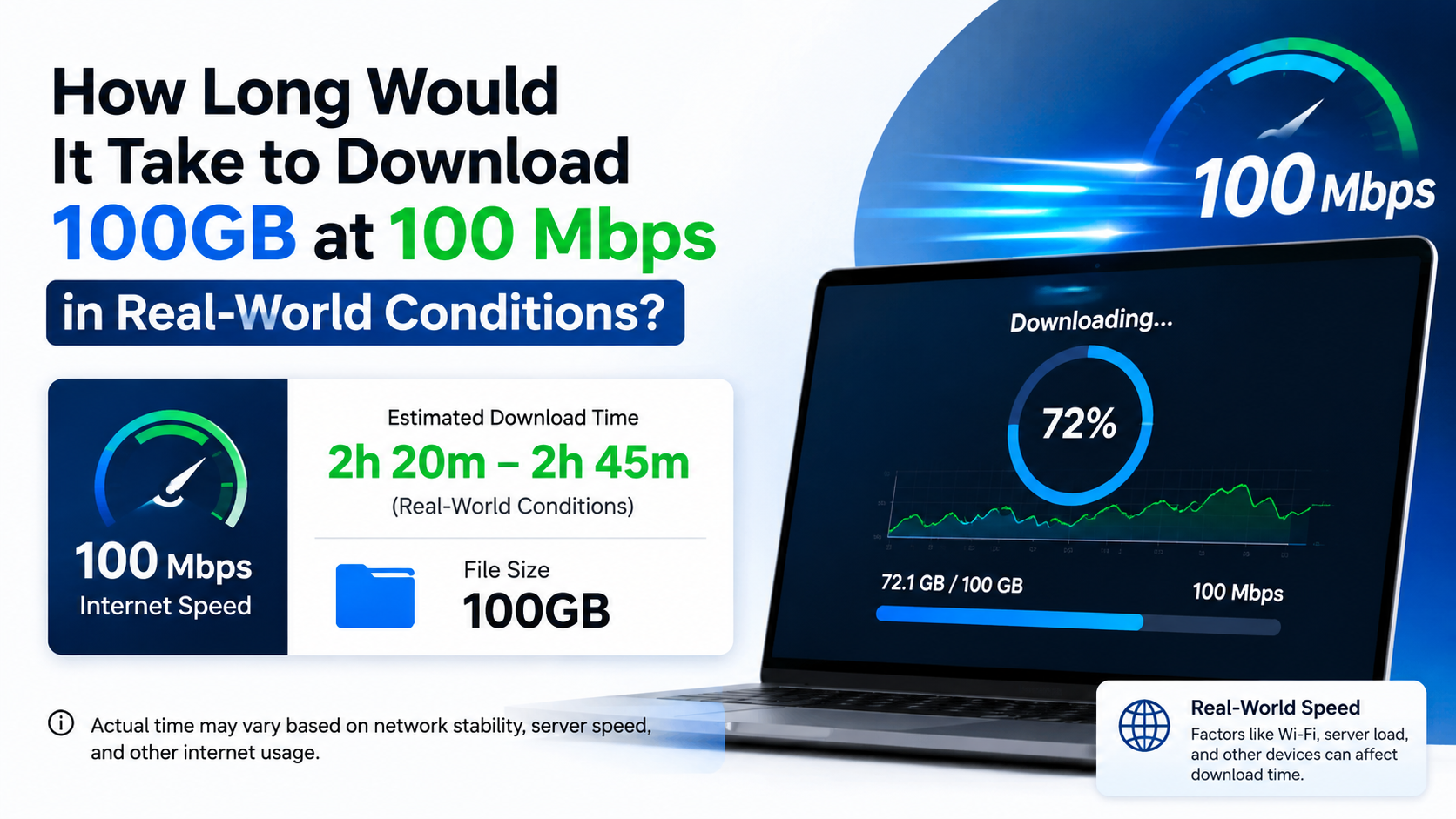
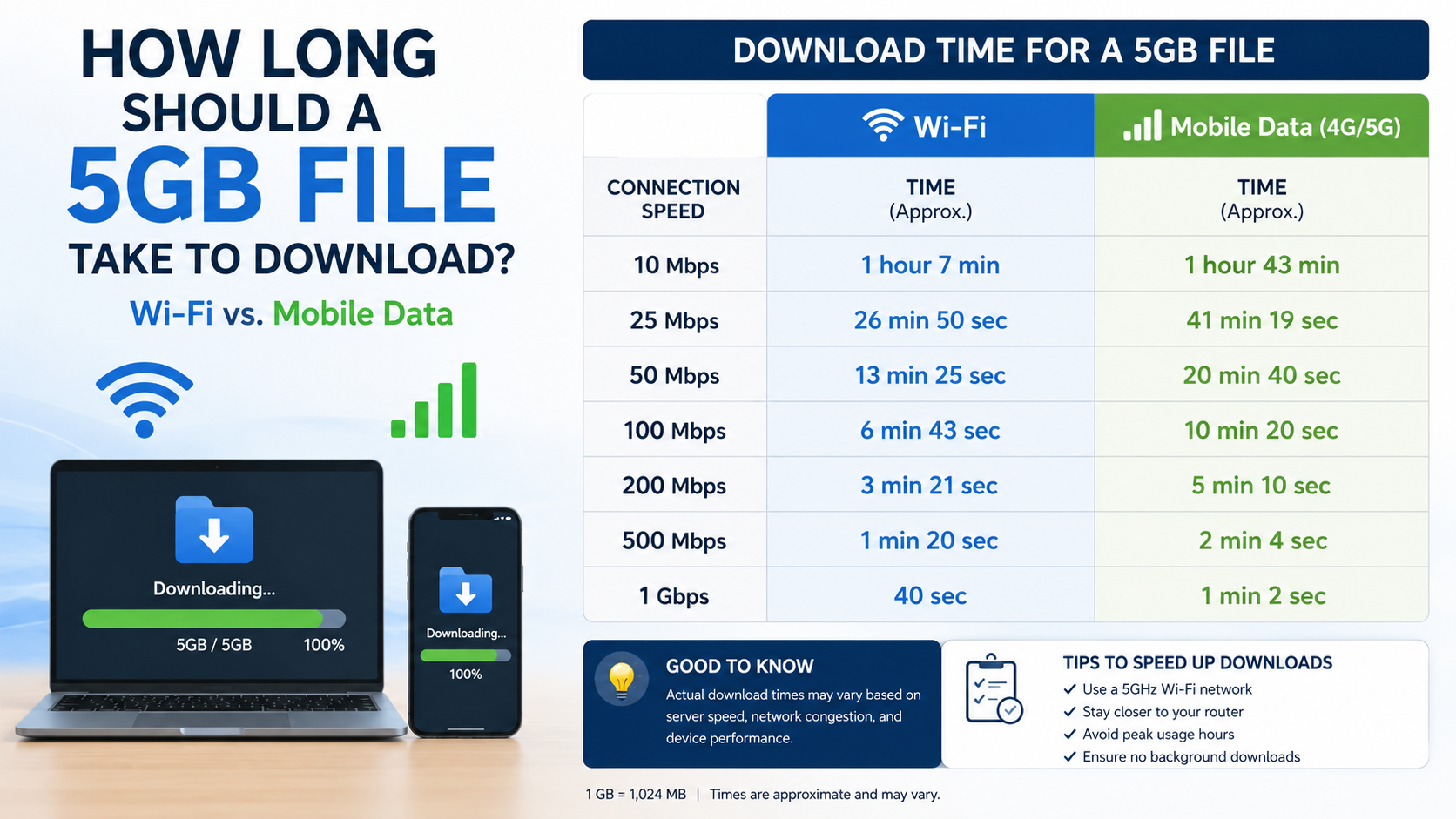
If you are asking how long should 5GB take to download, the answer depends mainly on your sustained download speed. At a perfect 100 Mbps, a 5GB file takes about 6 minutes 40 seconds. In normal conditions, allow roughly 7–9 minutes because of network overhead, Wi‑Fi interference, server limits and speed fluctuations.
At 25 Mbps, the same file takes about 27 minutes in theory and commonly 30–35 minutes in practice. A slow 5 Mbps connection may need more than two hours.
Key Takeaways
- A 5GB file contains approximately 40,000 megabits (Mb), so divide 40,000 by your speed in Mbps.
- Internet plans use megabits per second (Mbps), while file sizes normally use gigabytes (GB). Eight megabits equal one megabyte.
- Real downloads are usually 10–25% slower than the theoretical result.
- Wi‑Fi quality, mobile signal, congestion and the download server can greatly change the result.
- Downloading 5GB over mobile data consumes approximately 5GB of your allowance, sometimes slightly more.
- Use a measured, sustained speed—not the advertised maximum—to estimate the finish time.
5GB Download Time at Common Internet Speeds

The table below uses a decimal 5GB file (5,000MB). The “ideal time” assumes your connection maintains its full speed continuously. Actual times include a reasonable allowance for overhead and variation.
| Sustained download speed | Ideal time for 5GB | More realistic estimate |
|---|---|---|
| 1 Mbps | 11 hours 7 minutes | 12–14 hours |
| 2 Mbps | 5 hours 33 minutes | 6–7 hours |
| 5 Mbps | 2 hours 13 minutes | 2 hours 25 minutes–2 hours 45 minutes |
| 10 Mbps | 1 hour 7 minutes | 1 hour 10–25 minutes |
| 25 Mbps | 26 minutes 40 seconds | 30–35 minutes |
| 50 Mbps | 13 minutes 20 seconds | 15–17 minutes |
| 100 Mbps | 6 minutes 40 seconds | 7–9 minutes |
| 200 Mbps | 3 minutes 20 seconds | 4–5 minutes |
| 500 Mbps | 1 minute 20 seconds | 1.5–2 minutes |
| 1 Gbps (1,000 Mbps) | 40 seconds | 45–60 seconds |
These estimates are consistent with standard download-time calculations that divide file size by bandwidth; real-world calculators also show 5GB taking about 19 minutes at 35 Mbps, 9 minutes 30 seconds at 70 Mbps and 4 minutes 30 seconds at 150 Mbps. Uswitch download-time guide
The Formula: Convert Mbps Correctly
Use this simple formula:
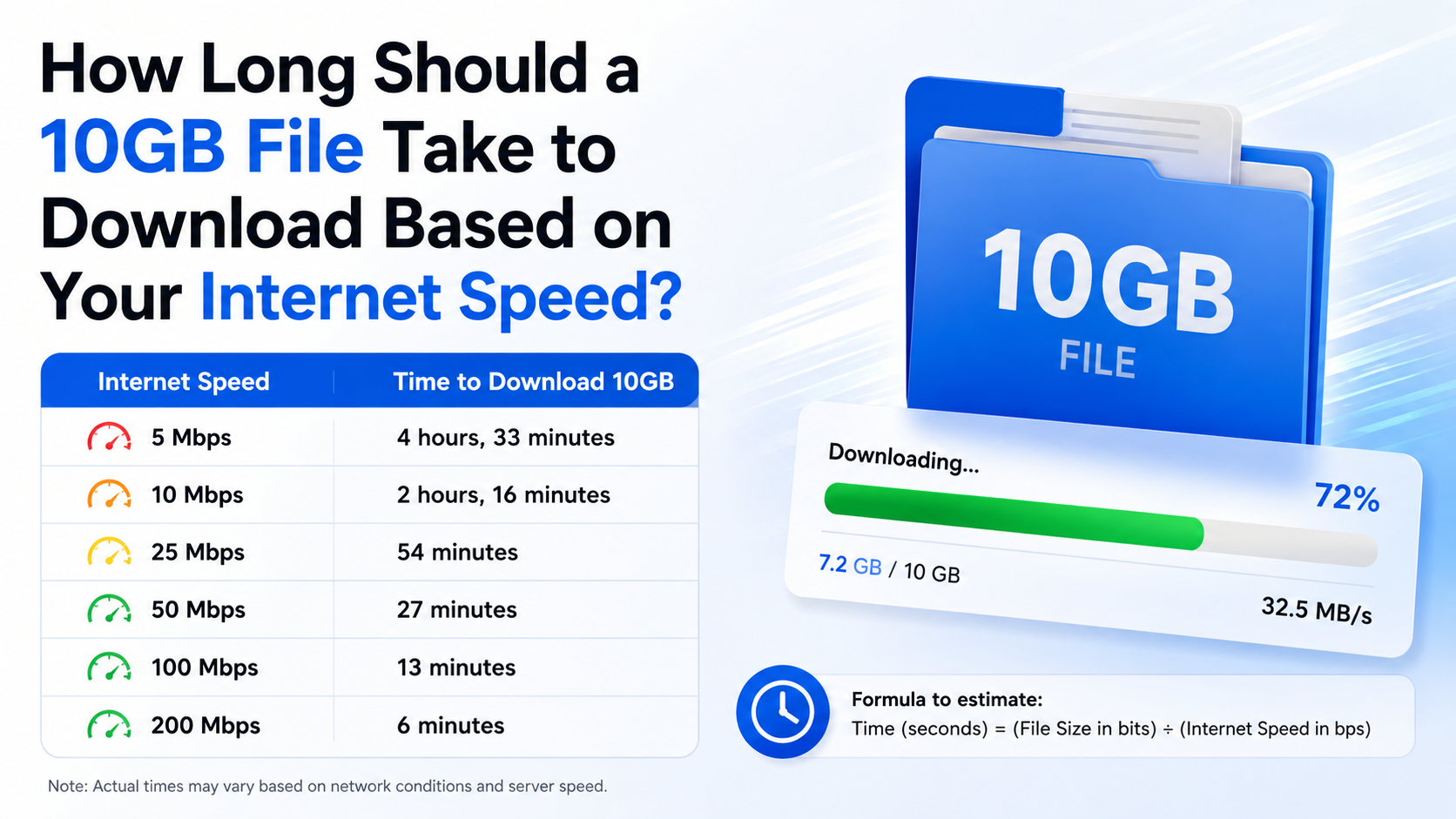
Download time in seconds = file size in megabits ÷ download speed in Mbps
For a 5GB file:
- Convert gigabytes to megabytes:
5GB × 1,000 = 5,000MB
- Convert megabytes to megabits:
5,000MB × 8 = 40,000Mb
- Divide by your speed.
Example at 50 Mbps

40,000 ÷ 50 = 800 seconds
800 seconds equals 13 minutes 20 seconds under ideal conditions. If your actual speed varies between 40 and 50 Mbps, or the server cannot supply data quickly enough, the download may take 15–20 minutes.
Why “100 Mbps” is not “100 MB per second”
This is the most common source of confusion:
- Mbps means megabits per second.
- MB/s means megabytes per second.
- 1 byte = 8 bits.
Therefore, a 100 Mbps plan has a theoretical maximum of:
100 ÷ 8 = 12.5 MB/s
At 12.5MB/s, 5,000MB takes approximately 400 seconds, or 6 minutes 40 seconds.
Wi‑Fi: What Changes the Download Time?
Wi‑Fi does not automatically equal your broadband plan’s advertised speed. Your phone or laptop connects wirelessly to the router, and the router connects to your internet provider. The slower part of that path determines the download rate.
A 300 Mbps Wi‑Fi link may still download at only 40 Mbps if the broadband plan, router connection or internet server is slower.
Common Wi‑Fi causes of slower 5GB downloads include:
- Being far from the router or separated by thick walls
- Connecting to congested 2.4GHz Wi‑Fi
- Several people streaming or downloading simultaneously
- An older router or device
- Background cloud backup, updates or app downloads
- Peak-hour congestion from the internet provider
- A slow or overloaded file server
For a large download, place the device near the router and pause other heavy traffic. If possible, use the 5GHz Wi‑Fi band or an Ethernet cable. Ethernet usually provides a steadier connection, although it cannot exceed the speed supplied by your broadband plan.
TRAI does not prescribe one universal minimum download speed for all Indian broadband plans. It requires providers to show typical download and upload speeds in tariff offers, and subscribers can measure performance with the TRAI MySpeed app and portal.
Mobile Data: 4G and 5G Estimates
Mobile download speeds vary more than fixed broadband. Signal strength, tower load, indoor coverage, spectrum, handset capability and your operator’s network management can all affect the result.
Approximate examples:
- 2 Mbps: about 5 hours 33 minutes ideal
- 10 Mbps: about 1 hour 7 minutes ideal
- 20 Mbps: about 33 minutes ideal
- 50 Mbps: about 13 minutes 20 seconds ideal
- 100 Mbps: about 6 minutes 40 seconds ideal
- 200 Mbps: about 3 minutes 20 seconds ideal
These are speed-based estimates, not guarantees for every 4G or 5G connection. A phone showing a 5G icon may still deliver a low sustained speed because of congestion or weak indoor coverage.
Will a 5GB download use exactly 5GB?
Usually, it will consume approximately 5GB, but your account may record slightly more because of protocol overhead, retries and related traffic. If your plan has a 1.5GB or 2GB daily limit, a single 5GB download can exhaust that allowance and trigger reduced speed or additional charges, depending on the plan. Check your operator’s current terms before starting.
To reduce interruptions:
- Connect to a strong 4G or 5G signal.
- Keep the phone cool and avoid moving between coverage areas.
- Disable battery or data-saving settings that pause background downloads.
- Use the operator’s app to check remaining data.
- Prefer Wi‑Fi when your mobile allowance is limited.
Do not assume that an “unlimited” label means unlimited high-speed data in every situation. Fair-use conditions, hotspot restrictions or post-limit speed reductions may apply; consult the plan’s official terms.
How to Check Your Real Download Speed
A speed test gives you a starting estimate, but one test is not enough. Run two or three tests at different times and use the lower, sustained result.
On Android or iPhone
- Close streaming apps and pause other downloads.
- Connect to the Wi‑Fi network or enable mobile data.
- Open a reputable speed-test service or the TRAI MySpeed app.
- Run the test near the router, then repeat from your normal location.
- Note the download Mbps result, not the upload or ping value.
On Windows or macOS
- Stop active downloads, VPN transfers and cloud synchronisation.
- Run a speed test in your browser.
- Repeat using Ethernet if available.
- Compare the measured speed with your plan’s typical speed.
For a more accurate estimate, start downloading the file and observe the speed after the first few minutes. Launchers and browsers may display MB/s rather than Mbps. Multiply MB/s by eight to compare it with your internet plan.
Why the Download Takes Longer Than the Estimate
Even with a fast connection, a 5GB download can exceed the calculated time.
The server is limiting speed
The website or game platform may cap each connection. Test another download from a reliable, high-capacity service to see whether your internet connection is the problem.
Speed is shared
If another device is watching 4K video, uploading photos or installing a game, less bandwidth remains for your file.
Wi‑Fi interference causes retries
Wireless interference can lead to retransmitted data. Moving closer to the router or switching bands can help.
The device is busy
Low storage, antivirus scanning, disk activity or a nearly full drive can slow writing even when the network is fast. Ensure that you have more free space than the file’s listed size because installation may require temporary files.
The file is compressed or being prepared
Some launchers download, verify and unpack data in stages. The displayed percentage may pause while the device verifies or extracts files; this is not always a network failure.
Troubleshooting a Stuck or Very Slow 5GB Download
Try these steps in order:
- Check whether the speed test itself is normal.
- Pause and resume the download once.
- Restart the router or switch between Wi‑Fi and Ethernet.
- Stop other downloads, streaming and cloud sync.
- Move closer to the router or change from 2.4GHz to 5GHz.
- Disable a VPN temporarily if the service permits it.
- Confirm that the device has sufficient storage.
- Try a different browser or the platform’s official download manager.
- Check the service’s status page for an outage.
- If mobile data is being used, verify that your daily quota or fair-use limit has not been reached.
Avoid repeatedly cancelling and restarting if the service does not support resume; you may lose downloaded data and consume the same mobile allowance again.
Is It Safe to Download a 5GB File?
Use the publisher’s official website, app store or recognised platform whenever possible. Large files distributed through random mirrors, unofficial APK sites or “cracked” software pages may be modified, bundled with malware or distributed without permission.
Before downloading:
- Confirm the domain name and HTTPS connection.
- Check the publisher, file name and stated size.
- Scan the file with your security software after download.
- Avoid disabling antivirus protection to install unknown software.
- Do not open executables or scripts from an untrusted source.
- Keep a backup of important data before installing system software.
A checksum supplied by the publisher can help verify that the file was not altered, but a checksum does not prove that the publisher itself is trustworthy.
Frequently Asked Questions
How long should 5GB take to download at Wi‑Fi speed?
At 100 Mbps, approximately 6 minutes 40 seconds in ideal conditions. A practical estimate is 7–9 minutes. At 50 Mbps, expect roughly 15–17 minutes in normal use.
How long does 5GB take at 10 Mbps?
The theoretical time is about 1 hour 7 minutes. Network overhead and fluctuations usually make it around 1 hour 10 minutes to 1 hour 25 minutes.
Is 5GB a large mobile-data download?
Yes. It can consume most or all of a daily mobile-data allowance in India. Check your remaining quota and plan conditions before starting.
Why does my 200 Mbps plan download at 20 MB/s?
200 Mbps equals a theoretical 25 MB/s because eight bits make one byte. A measured 20 MB/s is about 160 Mbps, which may be reasonable after overhead and normal variation.
Does 5GHz Wi‑Fi make a 5GB download faster?
It can, because 5GHz often has less interference and higher local capacity. However, it will not increase speed beyond your broadband plan, router, device or server limits.
Can I calculate the time using my phone’s download display?
Yes. If the display shows MB/s, divide 5,000MB by that number. For example, at 10MB/s, the ideal time is 500 seconds—about 8 minutes 20 seconds.
Why is my 5GB download stuck near the end?
The server may be verifying the file, the device may be writing or unpacking data, or the final connection may be retrying lost packets. Wait a few minutes, then check storage and the service status before restarting.