How Long Will It Take to Download 100GB at 100Mbps? Exact Time Guide
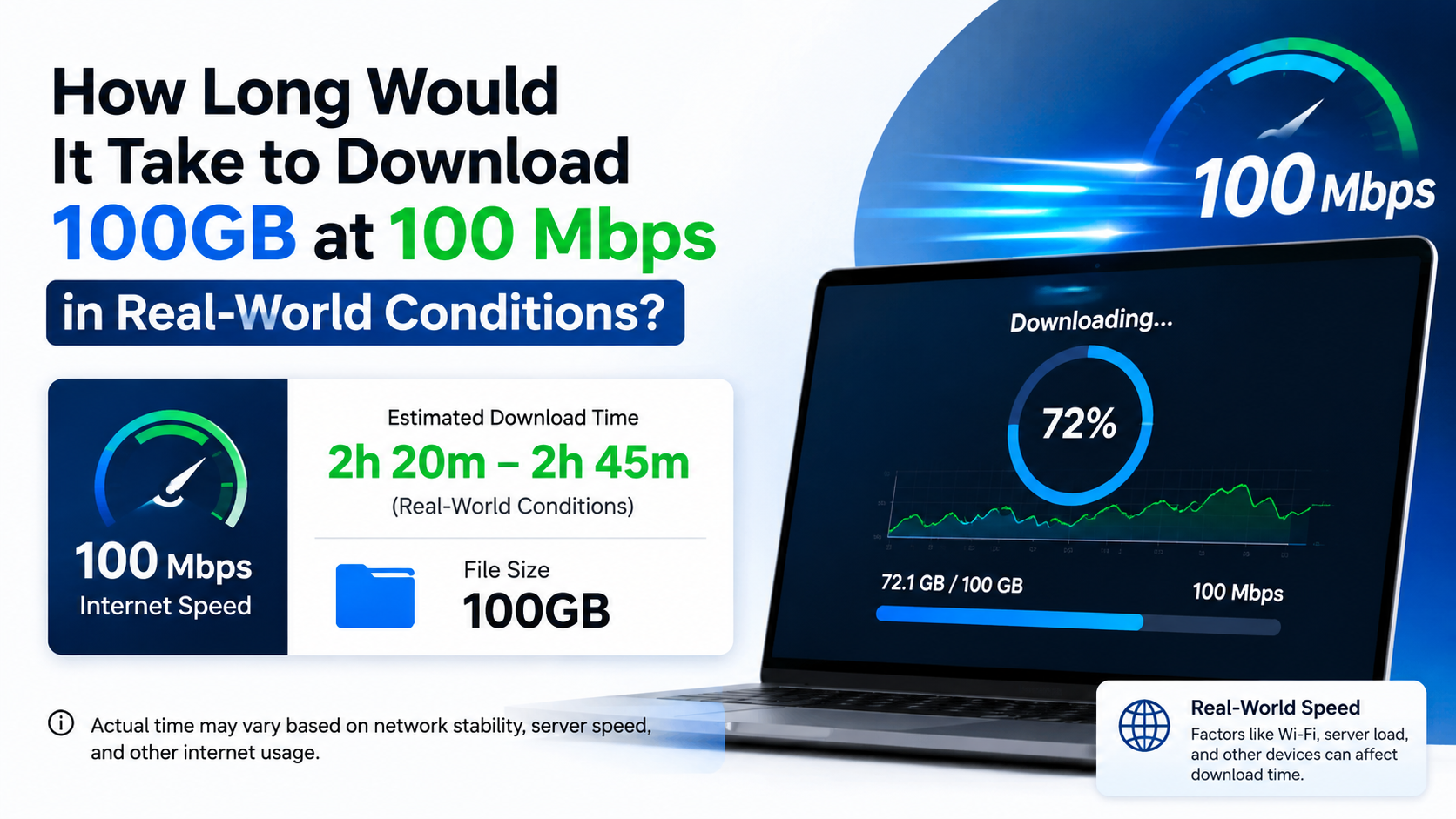
If you are downloading a 100GB game, backup, video archive, or software package at a sustained 100Mbps, the ideal download time is 2 hours, 13 minutes and 20 seconds.
In practice, most people should plan for approximately 2 hours 25 minutes to 3 hours, depending on Wi-Fi quality, server speed, network congestion, other users, and protocol overhead. A 100GB file shown as 100GiB by an operating system takes slightly longer—about 2 hours 23 minutes under perfect conditions.
Key Takeaways
- Ideal time for 100GB at 100Mbps: 2 hours 13 minutes 20 seconds.
- Approximate real-world time: 2 hours 25 minutes to 3 hours.
- 100Mbps equals 12.5MB/s theoretically, because one byte contains eight bits.
- A 100GiB file takes about 2 hours 23 minutes at the same line rate.
- Wi-Fi, VPNs, busy networks, slow servers and simultaneous users can add significant time.
- Check the download client’s unit: Mbps and MB/s are not the same.
Exact Answer: 100GB at 100Mbps

Internet providers advertise speed in megabits per second (Mbps), while file sizes are usually displayed in gigabytes (GB). Since 1 byte equals 8 bits, the first step is converting the connection speed:
100Mbps ÷ 8 = 12.5MB/s
A decimal 100GB file contains 100,000 megabytes. Therefore:
100,000MB ÷ 12.5MB/s = 8,000 secondsConverting 8,000 seconds:
- 8,000 seconds ÷ 60 = 133.33 minutes
- 133.33 minutes = 2 hours, 13 minutes, 20 seconds
So, the theoretical answer to “how long will it take to download 100gb at 100mbps?” is:
Approximately 2 hours 13 minutes 20 seconds at a constant 100Mbps.
This assumes the server continuously delivers the full advertised speed and there is no overhead, congestion or interruption.
Why 100Mbps Does Not Mean 100MB per Second
The lowercase b in Mbps means bits. The uppercase B in MB means bytes.
| Connection or file unit | Meaning |
|---|---|
| 100Mbps | 100 megabits per second |
| 12.5MB/s | 12.5 megabytes per second |
| 100GB | 100 gigabytes |
| 100GiB | 100 gibibytes |
A byte contains eight bits, so a 100Mbps connection has a maximum theoretical rate of 12.5MB/s—not 100MB/s. Broadband speeds are commonly expressed in megabits per second, as explained by BT’s broadband speed guide.
The decimal definition of GB is 1,000,000,000 bytes, while GiB uses 1,073,741,824 bytes. NIST’s unit definitions explain the difference between decimal and binary storage units.
Realistic Download Time at 100Mbps
Your internet plan’s “100Mbps” is normally a maximum or access speed. The useful throughput reaching your device can be lower because of network headers, encryption, Wi-Fi retransmissions, congestion and server limitations.

Here are practical estimates for a decimal 100GB file:
| Sustained efficiency | Approximate speed | Estimated time |
|---|---|---|
| 100% | 12.5MB/s | 2h 13m 20s |
| 95% | 11.9MB/s | 2h 20m 21s |
| 90% | 11.25MB/s | 2h 28m 09s |
| 85% | 10.6MB/s | 2h 36m 52s |
| 80% | 10MB/s | 2h 46m 40s |
| 70% | 8.75MB/s | 3h 10m 29s |
For a wired desktop connected directly to a capable router, the 90–95% rows may be achievable when the download server is fast. Typical 5GHz Wi-Fi may be closer to 80–90%, while a weak or crowded 2.4GHz connection can be slower.
If the file is 100GiB instead of 100GB
Some game launchers and operating systems use binary units. A 100GiB file contains approximately 107.37 decimal GB.
At a perfect 100Mbps:
100GiB × 8 × 1,073,741,824 bytes ÷ 100,000,000 bps
= about 8,590 seconds
That equals approximately 2 hours, 23 minutes and 10 seconds. With 80% effective throughput, expect roughly 2 hours 59 minutes.
Download-Time Examples at Different Speeds
The following table assumes a decimal 100GB file and a sustained connection with no efficiency loss.
| Sustained download speed | Theoretical time |
|---|---|
| 25Mbps | 8h 53m 20s |
| 50Mbps | 4h 26m 40s |
| 75Mbps | 2h 57m 47s |
| 100Mbps | 2h 13m 20s |
| 150Mbps | 1h 28m 53s |
| 200Mbps | 1h 06m 40s |
| 500Mbps | 26m 40s |
| 1Gbps | 13m 20s |
These are mathematical estimates, not guarantees. A 1Gbps plan does not automatically make a download server deliver 1Gbps.
How to Calculate Download Time Yourself
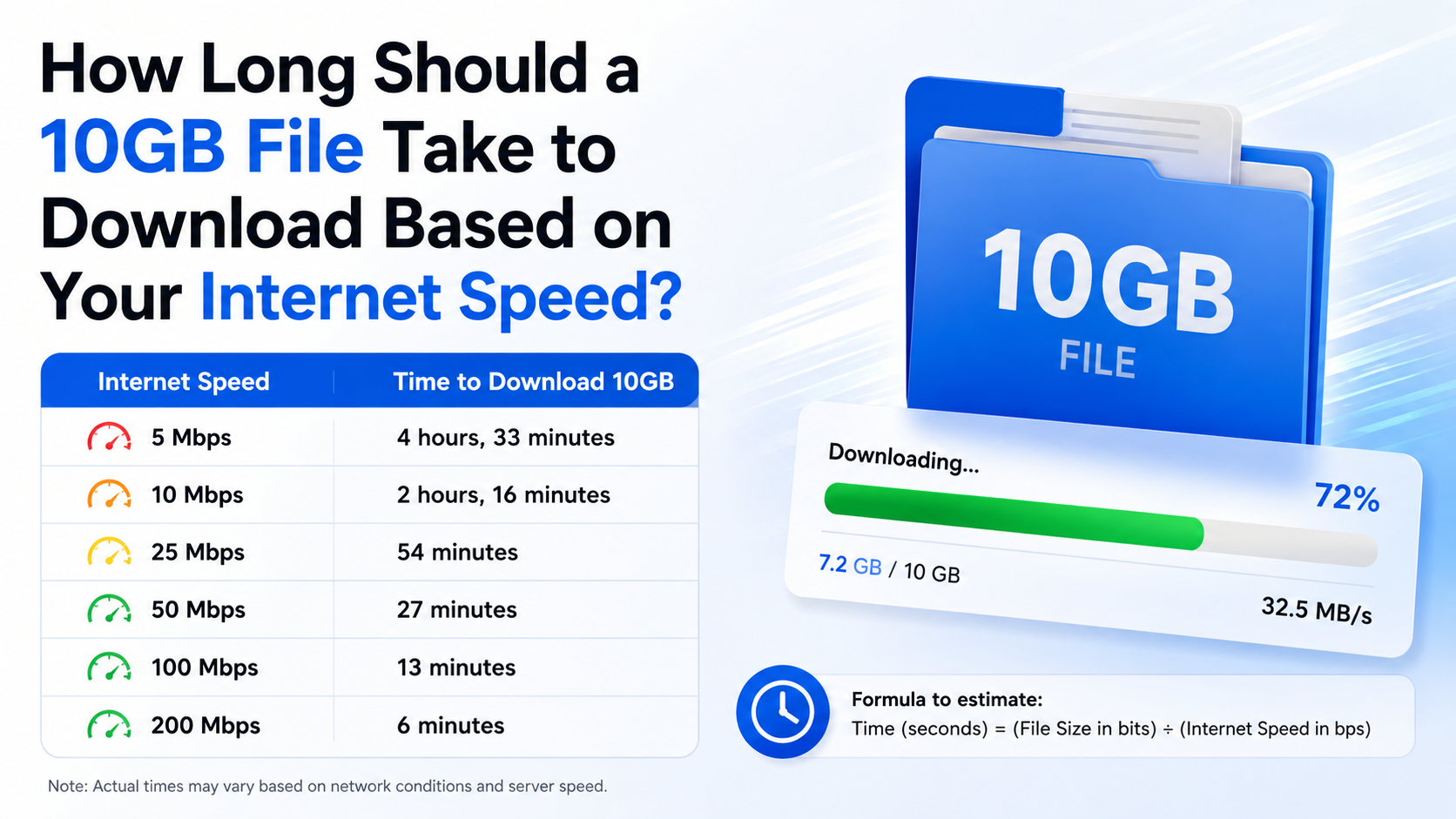
Use this formula:
Time in seconds = (File size in bytes × 8) ÷ speed in bits per secondFor decimal units, a simpler formula is:
Time in seconds = (file size in GB × 8,000) ÷ speed in MbpsFor 100GB at 100Mbps:
(100 × 8,000) ÷ 100 = 8,000 secondsTo estimate real-world time, include an efficiency factor:
Realistic time = ideal time ÷ efficiencyFor example, at 80% efficiency:
8,000 ÷ 0.80 = 10,000 secondsThat is 2 hours 46 minutes 40 seconds.
Quick steps
- Confirm whether the file is measured in GB or GiB.
- Confirm whether the speed is Mbps or MB/s.
- Divide Mbps by 8 to obtain the theoretical MB/s rate.
- Divide the file size by that rate.
- Add a practical margin for network and server overhead.
What Can Make a 100GB Download Slower?
Wi-Fi signal and router location
Walls, distance, interference and many connected devices reduce Wi-Fi throughput. A phone or laptop may show a 100Mbps broadband plan but receive less than that over wireless.
For the most consistent result:
- Use Ethernet where possible.
- Prefer a 5GHz or Wi-Fi 6 network near the router.
- Move closer to the router.
- Pause other large downloads and cloud backups.
- Avoid downloading during heavily congested periods.
Server-side limits
The website, game launcher or cloud provider may limit each connection. If the server sends data at 60Mbps, your 100Mbps plan cannot force it to send faster.
Large game downloads from Steam, Epic Games, PlayStation or Xbox can also alternate between downloading and disk writing. The displayed rate may drop while files are unpacked or verified.
Other people and devices
A 100Mbps connection is shared across the home. Video streaming, CCTV uploads, cloud synchronisation, online classes and other downloads all compete for capacity. If another device uses 30Mbps, only around 70Mbps remains for the 100GB transfer.
VPNs and security software
A VPN can add encryption and routing overhead. Antivirus scanning, browser extensions and download managers can also affect performance, especially on older computers.
Storage performance
The destination drive must write data quickly enough. Modern SSDs generally handle a 100Mbps download easily, but a nearly full, failing or heavily used hard drive can slow installation or extraction after—or during—the download.
How to Get Closer to the 100Mbps Maximum
- Run a speed test on the same device and network you will use for the download.
- Compare the result in Mbps with the download client’s rate in MB/s.
- Connect the device by Ethernet if practical.
- Stop streaming, cloud backup and peer-to-peer transfers temporarily.
- Select a nearby download region in the app when that option is available.
- Keep the router firmware and device network drivers current.
- Leave enough free storage for both the download and temporary installation files.
- Avoid sleep mode or battery-saving settings that pause network activity.
- If speed varies, observe the average over 10–15 minutes rather than one momentary reading.
For Indian users, fibre connections may provide steadier throughput than mobile hotspots, but actual performance still depends on local backhaul, indoor signal strength, fair-use policies and peak-hour demand. Check your provider’s plan terms for any data cap or traffic-management rule.
Troubleshooting a Download That Is Much Too Slow
The client shows 10–12MB/s
That is normal for a 100Mbps connection. Ten to 12.5MB/s corresponds roughly to 80–100Mbps.
The client shows 1–3MB/s
Check whether the device is connected to a congested 2.4GHz network, whether another user is consuming bandwidth, and whether the server is limiting the transfer. Test another reputable download source to identify whether the problem is local or server-side.
Speed starts high and then falls
This can happen when the server throttles traffic, the download moves to a busier mirror, the device overheats, or the drive’s cache fills. Pause and resume once, then check router and disk activity.
The download repeatedly stops
Confirm available storage, disable an overly aggressive VPN or firewall temporarily if appropriate, and check the launcher’s error log. Do not disable security protection permanently or install “speed booster” software from unknown websites.
The speed test is fast but the download is slow
A speed test measures the route to its own test server. The file host may be farther away, busy or rate-limited. Try the service’s official mirror or download region, and compare using another legitimate file.
Frequently Asked Questions
Is 100Mbps enough to download a 100GB game?
Yes. Under ideal conditions it takes about 2 hours 13 minutes. A realistic estimate is around 2.5–3 hours, and installation or file verification may take additional time.
How long does 100GB take at 100MB/s?
At 100MB/s—not 100Mbps—the theoretical time is about 16 minutes 40 seconds. 100MB/s is an 800Mbps transfer rate, eight times faster than 100Mbps.
How much data does downloading 100GB use?
Approximately 100GB of internet data, plus a small amount of protocol overhead. If your broadband plan has a monthly data allowance, the provider may count slightly more than the file’s displayed size.
Will a 100Mbps mobile hotspot take the same time?
Not necessarily. Mobile networks fluctuate with signal, tower load, indoor coverage and data-management policies. A “100Mbps” peak result does not guarantee a sustained 100Mbps download.
Why does my launcher show Mbps sometimes and MB/s at other times?
Different applications choose different units. Divide Mbps by 8 to convert to MB/s. Always check the capitalisation before comparing a speed test with a download window.
Can I download 100GB overnight?
Usually, yes, if your connection remains stable and the device does not sleep. On a typical 80–90% effective connection, allow roughly three hours, plus extra time for installation or verification.
Does increasing download speed reduce the file size?
No. A faster connection reduces transfer time but does not change the amount of data. Compression may reduce the downloadable package, while installation can expand it to require more storage.
What is the shortest reliable answer?
At a genuinely sustained 100Mbps, 100GB takes 2 hours 13 minutes 20 seconds ideally. For planning in India, allow about 2 hours 30 minutes to 3 hours unless you are using a fast wired connection and a high-capacity server.