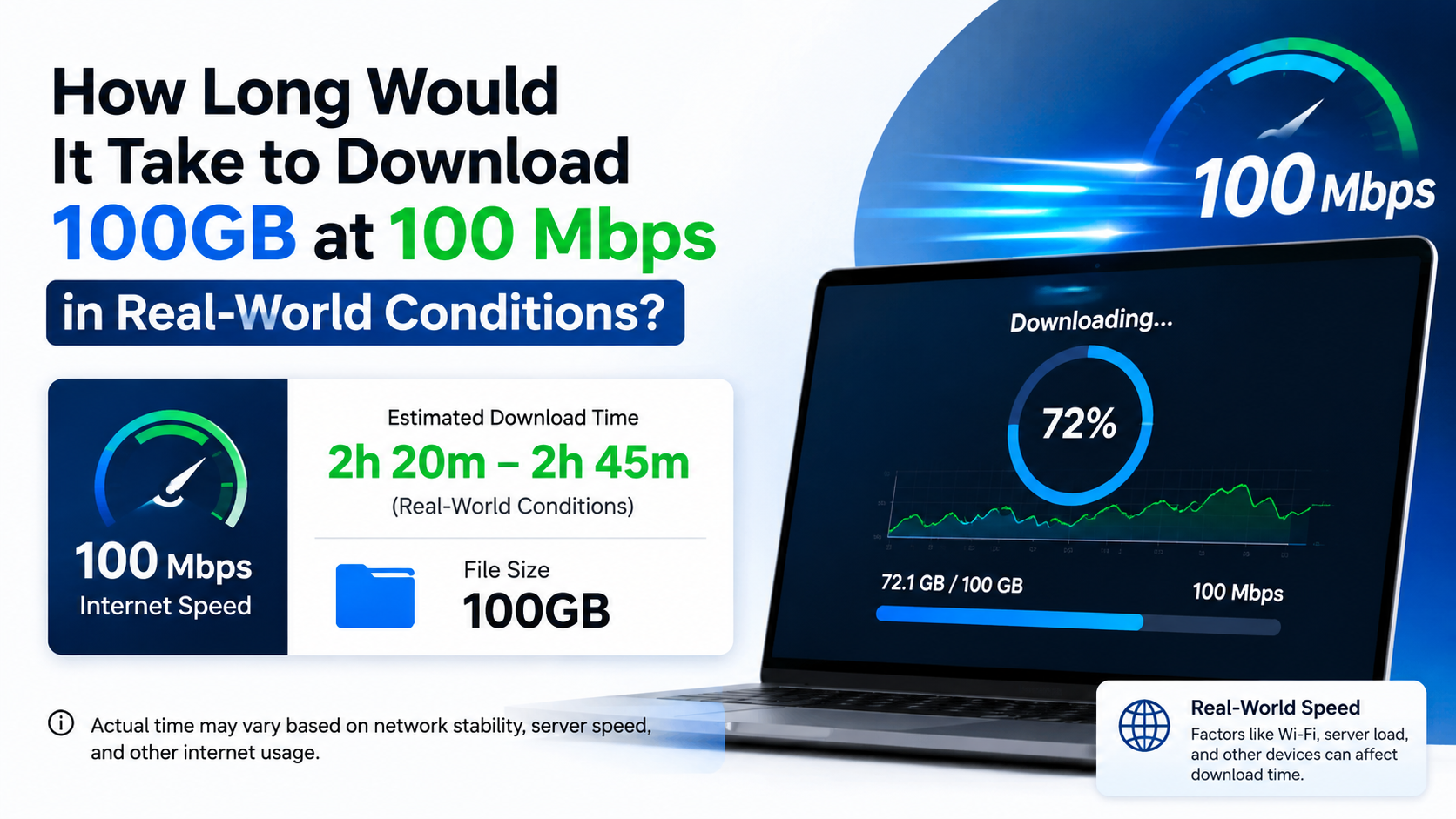
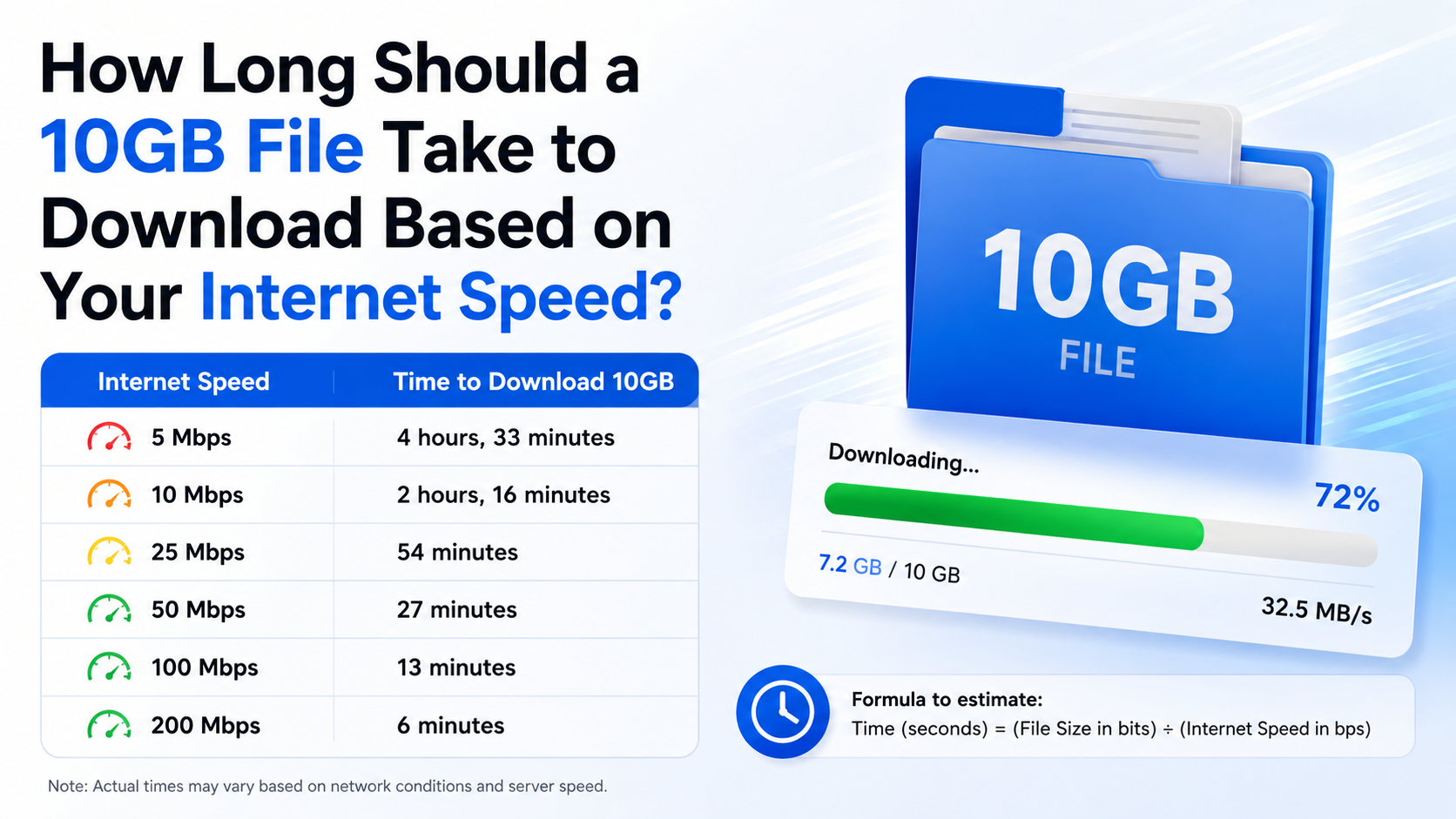
How Long Will It Take to Download a File Based on Its Size and Internet Speed?
The answer depends mainly on two numbers: the file size and your actual download speed. To estimate the time, convert your internet speed from megabits per second (Mbps) to megabytes per second (MB/s), then divide the file size by that speed.
Basic formula:
Download time (seconds) = File size in megabytes × 8 ÷ Internet speed in Mbps
For example, a 1 GB file is approximately 1,000 MB. On a 50 Mbps connection:
1,000 × 8 ÷ 50 = 160 seconds
That is about 2 minutes 40 seconds under ideal conditions. In practice, allow extra time for Wi-Fi losses, network congestion, server limits and protocol overhead.
Key Takeaways
- Internet plans are usually advertised in Mbps, while files are commonly shown in MB or GB.
- Divide Mbps by 8 to estimate the equivalent speed in megabytes per second.
- A 1 GB file takes about 13 minutes 20 seconds at 10 Mbps and 1 minute 20 seconds at 100 Mbps.
- Real downloads are often 10–25% slower than the theoretical calculation.
- The download server, Wi-Fi signal, device performance and other users can significantly affect the result.
- Measure your current speed before calculating; your plan’s maximum speed is not always your actual speed.
How to Calculate Download Time

Step 1: Check the file size
Look for the size shown on the download page, app store or file properties. Common units include:
- KB or KiB
- MB or MiB
- GB or GiB
- TB or TiB
For simple estimates, use decimal conversions:
- 1 GB = 1,000 MB
- 1 MB = 1,000 KB
Some operating systems use binary units, where 1 GiB equals 1,024 MiB. This difference is small for ordinary estimates but can matter for very large game or backup files.
Step 2: Check your real download speed

Your broadband or mobile plan may say 40 Mbps, 100 Mbps or 1 Gbps. That is the connection’s advertised maximum, not a guarantee for every download.
Run a speed test close to the time you intend to download. Indian users can use the TRAI MySpeed portal or its official app to measure download speed, upload speed and other network-performance indicators.
Use the download result from the test—not the upload speed or the number printed on your recharge plan.
Step 3: Convert Mbps to MB/s
One byte contains eight bits. Therefore:
MB/s = Mbps ÷ 8
Examples:
| Advertised speed | Approximate maximum transfer rate |
|---|---|
| 10 Mbps | 1.25 MB/s |
| 20 Mbps | 2.5 MB/s |
| 40 Mbps | 5 MB/s |
| 50 Mbps | 6.25 MB/s |
| 100 Mbps | 12.5 MB/s |
| 200 Mbps | 25 MB/s |
| 500 Mbps | 62.5 MB/s |
| 1 Gbps (1,000 Mbps) | 125 MB/s |
A download showing 6 MB/s is not the same as 6 Mbps. Six megabytes per second is approximately 48 Mbps.
Step 4: Divide the file size by the transfer rate
If a file is 2,000 MB and your effective speed is 5 MB/s:
2,000 ÷ 5 = 400 seconds
That equals 6 minutes 40 seconds.
Download-Time Chart for Common File Sizes
The following estimates use ideal speeds and decimal file sizes. Actual times will usually be longer.
| File size | 10 Mbps | 25 Mbps | 50 Mbps | 100 Mbps | 200 Mbps |
|---|---|---|---|---|---|
| 100 MB | 1 min 20 sec | 32 sec | 16 sec | 8 sec | 4 sec |
| 500 MB | 6 min 40 sec | 2 min 40 sec | 1 min 20 sec | 40 sec | 20 sec |
| 1 GB | 13 min 20 sec | 5 min 20 sec | 2 min 40 sec | 1 min 20 sec | 40 sec |
| 5 GB | 1 hr 6 min 40 sec | 26 min 40 sec | 13 min 20 sec | 6 min 40 sec | 3 min 20 sec |
| 10 GB | 2 hr 13 min 20 sec | 53 min 20 sec | 26 min 40 sec | 13 min 20 sec | 6 min 40 sec |
| 50 GB | 11 hr 6 min 40 sec | 4 hr 26 min 40 sec | 2 hr 13 min 20 sec | 1 hr 6 min 40 sec | 33 min 20 sec |
At 1 Gbps, a 1 GB file requires roughly eight seconds in ideal conditions, while a 100 GB game would require approximately 13 minutes 20 seconds.
Real-World Download Time: Why It Takes Longer
The formula assumes that the entire connection remains at its maximum speed. Downloads rarely behave that way.
Allow additional time because of:
- Wi-Fi interference: Walls, distance from the router and crowded 2.4 GHz networks reduce throughput.
- Mobile-network fluctuation: 4G and 5G speeds vary with signal strength, tower load and movement.
- Server limitations: The website or game launcher may limit each connection.
- Peak-hour congestion: Speeds can fall when many people use the ISP or download service.
- Other devices: Streaming video, cloud backups and updates share your bandwidth.
- Protocol overhead: Network headers, encryption and retransmitted packets consume some capacity.
- Disk or CPU limits: An older phone, hard drive or nearly full storage can slow writing and installation.
- Pausing and verification: Game launchers may unpack, verify or install files after transferring them.
A practical rule is to multiply the theoretical result by 1.1 to 1.25. For example, if the calculation says 20 minutes, plan for roughly 22–25 minutes. This is an estimate, not a guaranteed completion time.
Worked Examples
How long will it take to download a 1 GB file?
- At 10 Mbps: about 13 minutes 20 seconds
- At 50 Mbps: about 2 minutes 40 seconds
- At 100 Mbps: about 1 minute 20 seconds
With normal overhead, a 1 GB download on a 100 Mbps plan may finish in roughly 1.5–2 minutes if the server is fast.
How long will it take to download a 5 GB game?
At 40 Mbps:
5,000 × 8 ÷ 40 = 1,000 seconds
That is 16 minutes 40 seconds ideally. A realistic range is approximately 18–22 minutes.
How long will it take to download a 20 GB file at 10 MB/s?
Here the speed is already in megabytes per second:
20,000 ÷ 10 = 2,000 seconds
That equals 33 minutes 20 seconds, before overhead.
How fast must your connection be to download a 10 GB file in 30 minutes?
Rearrange the formula:
Required Mbps = File size in MB × 8 ÷ Time in seconds
10,000 × 8 ÷ 1,800 = 44.4 Mbps
You need at least 45 Mbps under ideal conditions. A connection offering around 55–60 Mbps gives more practical headroom.
How to Get a More Accurate Estimate
- Measure your speed using a trusted test while no large downloads are running.
- Repeat the test twice—once near the router and once where you normally use the device.
- Use the lowest reliable result in the formula.
- Check the download’s live speed after the first minute.
- Recalculate using the observed MB/s shown by your browser or launcher.
- Add 10–25% for normal network overhead.
- Keep the device connected to power for large downloads and installations.
For large files, Ethernet is usually more consistent than Wi-Fi. On phones, a strong 5 GHz Wi-Fi connection may outperform a weak mobile signal. Avoid running several simultaneous downloads unless your service specifically benefits from parallel connections.
What to Do When a Download Is Much Slower
If the result is far below your estimate:
- Stop streaming and other active downloads.
- Restart the router and reconnect to the correct Wi-Fi band.
- Move closer to the router or use Ethernet.
- Try downloading outside busy evening hours.
- Pause and resume the download to obtain a new server connection.
- Check whether the browser, Steam, Epic Games, Google Play or another launcher has a speed limit enabled.
- Test another reputable file or mirror to determine whether only one server is slow.
- Confirm that your device has sufficient free storage.
- On mobile data, check whether a daily quota or fair-use policy has reduced speed.
If every service is slow, record several speed-test results and contact your internet service provider. TRAI requires service providers to clearly communicate relevant speed and fair-use conditions; check your plan’s terms before assuming the connection is faulty.
Downloading Safely
For apps, games, drivers and software, use the developer’s official website or an authorised store such as Google Play, Apple’s App Store, Microsoft Store, Steam or another recognised platform.
Be cautious with unknown APK sites, “cracked” software and unofficial mirrors. They may contain modified files, malware, misleading download buttons or copyright-infringing content. A faster mirror is not automatically a trustworthy one. Check the domain carefully, scan downloads with your device’s security tools and avoid disabling security protections merely to install a file.
Frequently Asked Questions
How long will it take to download a 1 GB file at 20 Mbps?
The ideal time is about 6 minutes 40 seconds. In normal conditions, allow approximately 7–9 minutes.
Is 100 Mbps the same as 100 MB/s?
No. 100 Mbps equals about 12.5 MB/s because eight bits make one byte. Confusing these units is the most common reason download estimates appear wrong.
Why is my download slower than my internet plan?
Your plan states a maximum or expected access speed. Wi-Fi conditions, congestion, the remote server, other users and device limitations can reduce the speed of an individual download.
Does file type affect download time?
Not directly. A 2 GB video, ZIP archive or game package contains roughly the same amount of data. Compression can change the file’s size, while encryption or installation may affect the time after downloading.
Does uploading use download bandwidth?
Uploading normally uses separate upstream capacity, but heavy uploads can still affect your connection, router and overall responsiveness. Pause cloud backups when downloading a large file.
Can a VPN make downloads faster?
Usually a VPN adds processing and routing overhead. It may help only when your ISP or a particular route is unusually congested; test both connections rather than assuming it will improve speed.
Should I use Mbps or MB/s in a calculator?
Use whichever unit the calculator requests, but do not mix them. Convert Mbps to MB/s by dividing by eight, or convert MB/s to Mbps by multiplying by eight.
How can I estimate download time on mobile data in India?
Run a TRAI MySpeed or comparable test at your location, use the measured download speed, and account for signal variation and any daily data limit. Download large files over stable Wi-Fi when possible.