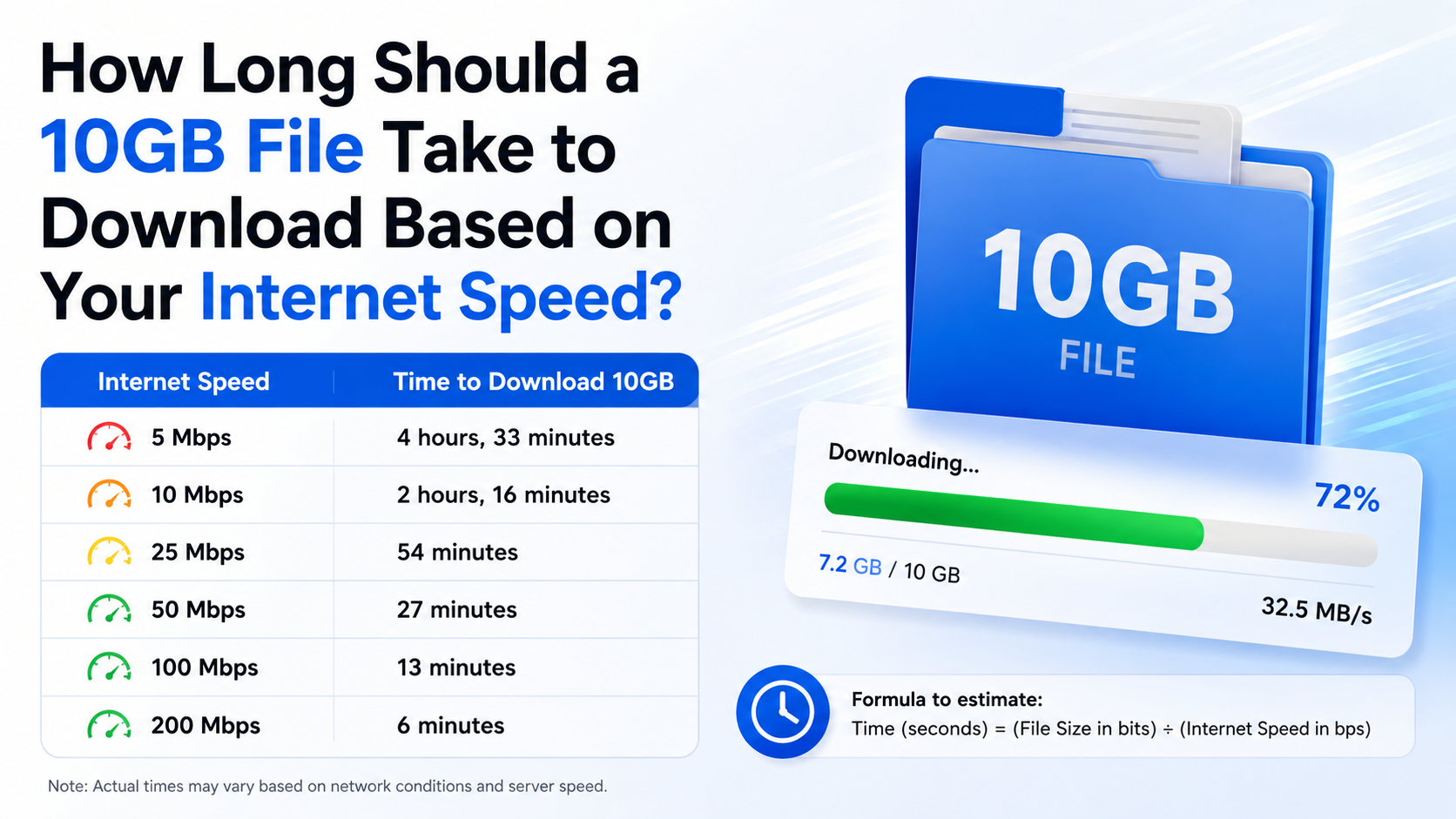
How Long Should a 10GB File Take to Download Based on Your Internet Speed?
A 10GB download can take anywhere from a few minutes to several hours. The exact time depends mainly on your sustained download speed, the file-size unit being used, server performance, Wi-Fi conditions and network congestion.
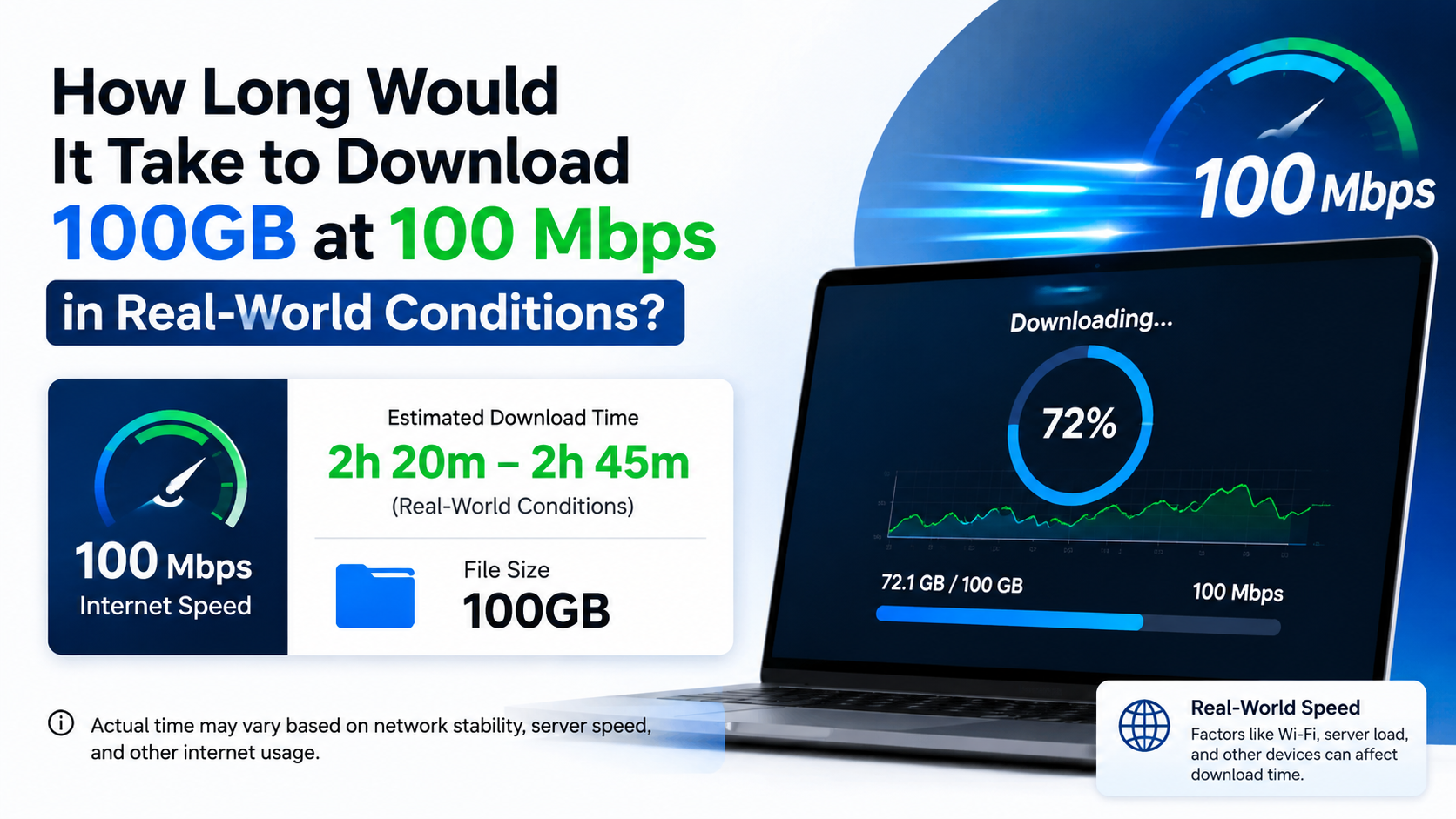
As a quick guide, a 10GB file takes about 13–14 minutes at 100 Mbps, 6–7 minutes at 200 Mbps, and around 2–3 minutes at 500 Mbps under realistic conditions.
Key Takeaways
- Internet plans use megabits per second (Mbps), while files are measured in gigabytes (GB).
- Divide Mbps by eight to estimate the download rate in megabytes per second (MB/s).
- A 10GB file takes approximately 80,000 ÷ your Mbps seconds before overhead.
- Real downloads are usually 5–20% slower than the theoretical maximum.
- A 100 Mbps plan may display roughly 10–12.5 MB/s in a download manager.
- TRAI’s MySpeed app and portal can help Indian users measure their actual connection speed.
- A slow file server, crowded Wi-Fi network or Fair Usage Policy (FUP) can increase the download time.
10GB Download Time at Different Internet Speeds

The following estimates use a decimal 10GB file (10,000MB) and assume your connection maintains its advertised speed.
| Internet speed | Approximate theoretical time | More realistic estimate |
|---|---|---|
| 5 Mbps | 4 hours 27 minutes | 4 hours 40 minutes–5 hours 15 minutes |
| 10 Mbps | 2 hours 13 minutes | 2 hours 20 minutes–2 hours 40 minutes |
| 25 Mbps | 53 minutes 20 seconds | 56–63 minutes |
| 50 Mbps | 26 minutes 40 seconds | 28–32 minutes |
| 100 Mbps | 13 minutes 20 seconds | 14–16 minutes |
| 200 Mbps | 6 minutes 40 seconds | 7–8 minutes |
| 300 Mbps | 4 minutes 27 seconds | 4 minutes 40 seconds–5 minutes 20 seconds |
| 500 Mbps | 2 minutes 40 seconds | 2 minutes 50 seconds–3 minutes 15 seconds |
| 1 Gbps (1,000 Mbps) | 1 minute 20 seconds | 1 minute 25 seconds–1 minute 40 seconds |
These are estimates, not guarantees. The download server may limit the transfer, and your speed can change during the download.
How to Calculate 10GB Download Time
Use this simple formula:
Download time in seconds = File size in gigabits ÷ speed in gigabits per secondFor a 10GB decimal file:
10GB × 8 = 80 gigabitsIf your internet speed is shown in Mbps:
Download time in seconds = 80,000 ÷ MbpsExample: 100 Mbps connection

80,000 ÷ 100 = 800 seconds
800 seconds ÷ 60 = 13 minutes 20 seconds
Because of protocol overhead, Wi-Fi loss, server limits and other traffic, the actual time may be closer to 14–16 minutes.
Example: 50 Mbps connection
80,000 ÷ 50 = 1,600 secondsThat equals approximately 26 minutes 40 seconds theoretically, or about 28–32 minutes in practice.
Mbps and MB/s Are Not the Same
This is the most common reason a download appears slower than expected.
- Mbps means megabits per second.
- MB/s means megabytes per second.
- One byte contains eight bits.
Therefore:
MB/s = Mbps ÷ 8| Advertised speed | Approximate maximum download rate |
|---|---|
| 10 Mbps | 1.25 MB/s |
| 25 Mbps | 3.12 MB/s |
| 50 Mbps | 6.25 MB/s |
| 100 Mbps | 12.5 MB/s |
| 200 Mbps | 25 MB/s |
| 500 Mbps | 62.5 MB/s |
| 1,000 Mbps | 125 MB/s |
For example, a 100 Mbps broadband plan does not normally download at 100 MB/s. Its theoretical maximum is about 12.5 MB/s.
At 12.5 MB/s, transferring 10,000MB takes approximately 800 seconds, or 13 minutes 20 seconds, before real-world losses.
Why Your 10GB Download Takes Longer Than the Calculation
The speed test measures a short-term peak
A speed-test result is a snapshot. Your download may begin quickly and then slow down because of congestion, routing changes or limits imposed by the file host.
Google explains that download speed depends on factors such as the connection, device and test conditions. A speed test performed beside your router may also be faster than a download over a distant room’s Wi-Fi.
Wi-Fi reduces consistency
Wireless performance is affected by distance, walls, interference from nearby networks and the router’s capabilities. A 5GHz connection can be faster at short range, while 2.4GHz often travels farther but may experience more interference.
For a large download:
- Place the device near the router.
- Pause streaming and other downloads.
- Use an Ethernet cable when possible.
- Avoid downloading during busy household usage.
- Keep the router firmware and device software updated.
The server may be the bottleneck
Your ISP may provide 200 Mbps, but the website hosting the file may only send data at 30 Mbps. Popular game launches, cloud backups and software releases can overload servers or content-delivery networks.
Try the official mirror or distribution platform recommended by the publisher. Do not use suspicious “fast download” sites that bundle installers, modified APKs or unwanted programs.
Network overhead is unavoidable
Data must be wrapped in transport and encryption information. Packets may also be retransmitted when they are lost. This means the useful file-transfer rate is lower than the headline link speed.
A practical estimate is often 85–95% of the measured speed, although mobile networks and congested Wi-Fi can perform worse.
Your device may limit the transfer
Older phones, low-storage devices, slow hard drives, full SSDs, antivirus scanning and insufficient free space can delay saving or unpacking a large file. Games may also download compressed data and then spend additional time installing it.
Make sure the device has more free storage than the file’s displayed size. Installers and games commonly need extra temporary space.
Decimal GB Versus GiB
File sizes are not always displayed using the same convention.
- 10GB (decimal) = 10,000,000,000 bytes.
- 10GiB (binary) = 10,737,418,240 bytes.
A 10GiB file is about 7.4% larger than a decimal 10GB file. Consequently, a 10GiB download takes about 7.4% longer at the same speed.
For example, at 100 Mbps:
- 10GB: about 13 minutes 20 seconds theoretically
- 10GiB: about 14 minutes 19 seconds theoretically
Operating systems, games and storage tools may use different labels. Check the exact byte count if the timing needs to be precise.
How to Check Your Actual Internet Speed in India
TRAI states that service providers must show the typical download and upload speeds generally available for their tariff offerings, and it provides the TRAI MySpeed app and portal for testing. You can use the official TRAI MySpeed portal to measure your connection.
Follow these steps:
- Stop other downloads, cloud synchronisation and video streams.
- Connect your phone or computer to the network you will use for the file.
- Run a speed test and note the download result in Mbps.
- Repeat the test two or three times at different times.
- Use the average sustained result in the download-time formula.
- Compare the result with the typical speed stated by your ISP.
For mobile data, test at the same location and time where you plan to download. Indoor signal strength, tower load and movement can cause large variations between 4G, 5G and Wi-Fi.
What 10GB Means for Mobile Data Users
A 10GB file consumes roughly 10GB of data, plus a small amount of transfer overhead. On a prepaid mobile plan, downloading it can use most or all of a daily data allowance.
Before starting:
- Check your remaining data balance.
- Disable automatic app updates and cloud backup.
- Use Wi-Fi if your mobile plan has a limit.
- Avoid downloading over mobile data when roaming.
- Keep the phone connected to power, since a long download can drain the battery.
An “unlimited” broadband plan may also include a monthly FUP. TRAI advises providers to disclose applicable limits and the reduced speed after the limit is reached. Check your plan terms before beginning a large download.
Troubleshooting a Slow 10GB Download
The speed is far below your plan
Restart the router, reconnect the device and test using Ethernet or a nearby 5GHz connection. If several tests remain low, record the times and results before contacting your ISP.
The download repeatedly pauses
Check whether the server requires an account, has an expiring link or limits simultaneous connections. A reliable download manager can resume interrupted transfers, but it cannot overcome a slow source server.
The file reports “not enough space”
Free additional storage and check the installer’s requirements. Some programs need space for both the compressed download and the extracted installation files.
The download finishes but installation is slow
That is normal for large games and software. Download time and installation time are separate; decompression, verification and disk writing may take several additional minutes.
The connection drops overnight
Use a download manager with resume support, keep the device awake and disable aggressive battery-saving settings. Download only from the publisher, official app store or trusted cloud service.
Frequently Asked Questions
How long should 10GB take to download at 100 Mbps?
The theoretical time is about 13 minutes 20 seconds for a decimal 10GB file. A practical result is usually around 14–16 minutes, depending on Wi-Fi, server speed and network overhead.
How long does 10GB take at 50 Mbps?
Expect approximately 26 minutes 40 seconds theoretically and 28–32 minutes in normal conditions.
Is 100 Mbps fast enough to download a 10GB game?
Yes. If the server and Wi-Fi can sustain close to 100 Mbps, the download should take roughly 14–16 minutes. Installation and updates may take longer.
Why does my 100 Mbps plan download at 10 MB/s?
That is broadly normal. 100 Mbps divided by eight equals 12.5 MB/s maximum. Protocol overhead and wireless losses can reduce the displayed rate to around 10–12 MB/s.
How long should 10GB take on 4G or 5G in India?
There is no single answer because mobile speed varies by operator, location, signal, device and tower congestion. Measure the sustained speed where you are downloading, then apply 80,000 ÷ Mbps.
Does a VPN make a 10GB download slower?
Often, yes. Encryption, VPN-server distance and congestion can reduce throughput. Test with and without the VPN, but keep it enabled when it is required for your privacy or workplace access.
Can I download a 10GB file on a phone?
Yes, provided the phone has enough free storage, a stable connection and sufficient data allowance. Use the official app store or publisher website, and avoid modified APKs and unknown mirrors.
What speed is needed to download 10GB in 10 minutes?
You need roughly 133 Mbps theoretically:
80,000 seconds ÷ 600 seconds = 133.3 MbpsAllowing for overhead, a sustained connection of about 150 Mbps is a safer target.